
Everything a Salesforce release needs
Compare, check, deploy and undo. Then run it through Git, move configuration data, and measure how your team ships.
Release lanes & CI/CD
Work items from sandbox to production through Git, approved at every step, deployed by CI jobs.
Git as a source or a target
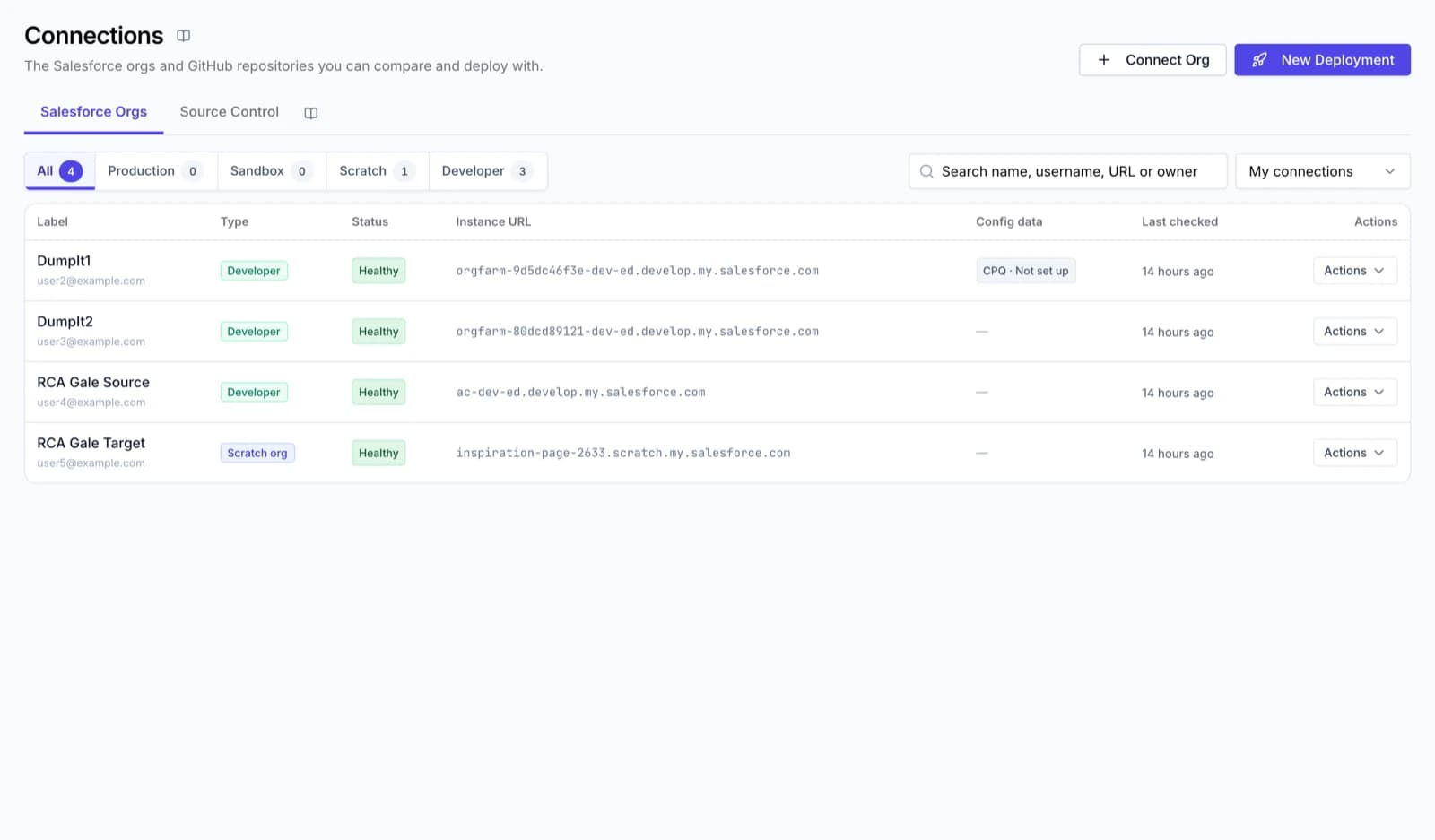
Connect a repository once and use any branch like an org. A branch target ends in Commit instead of Deploy; a branch that moved since your comparison is never overwritten.
- GitHub and Bitbucket
- Create a branch without leaving DumpIt
- The author is shown before you commit
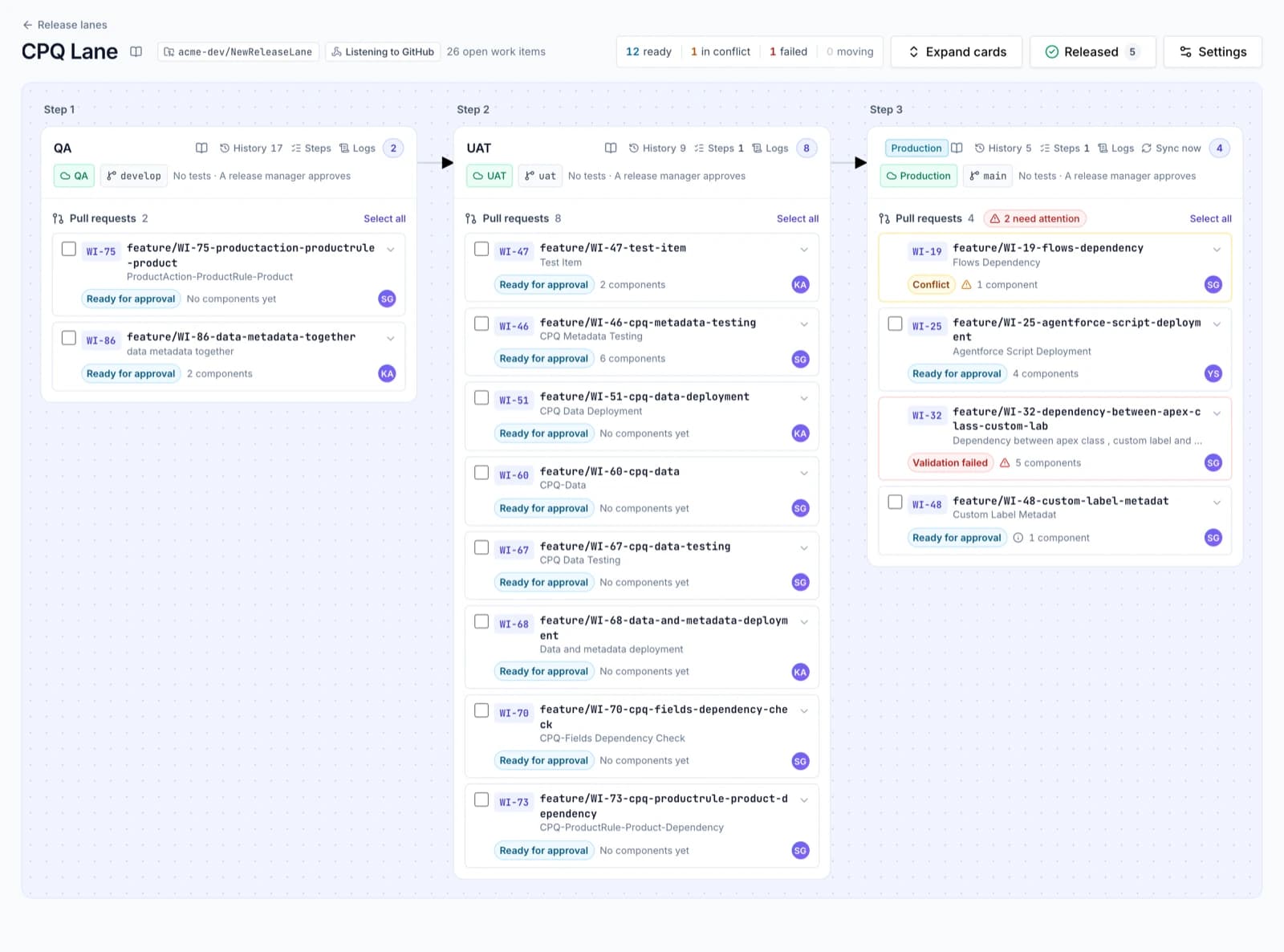
Release lanes
A lane is your repository plus the environments a change travels through. Every environment has its org, its branch, its checks and its approvers. DumpIt validates, merges and deploys; release managers decide when.
- Parallel environments, joined again with "all" or "any" gates
- Merge conflicts resolved in the browser
- Back-propagation and sync keep earlier environments in step
- Manual deployment steps as a checklist per environment
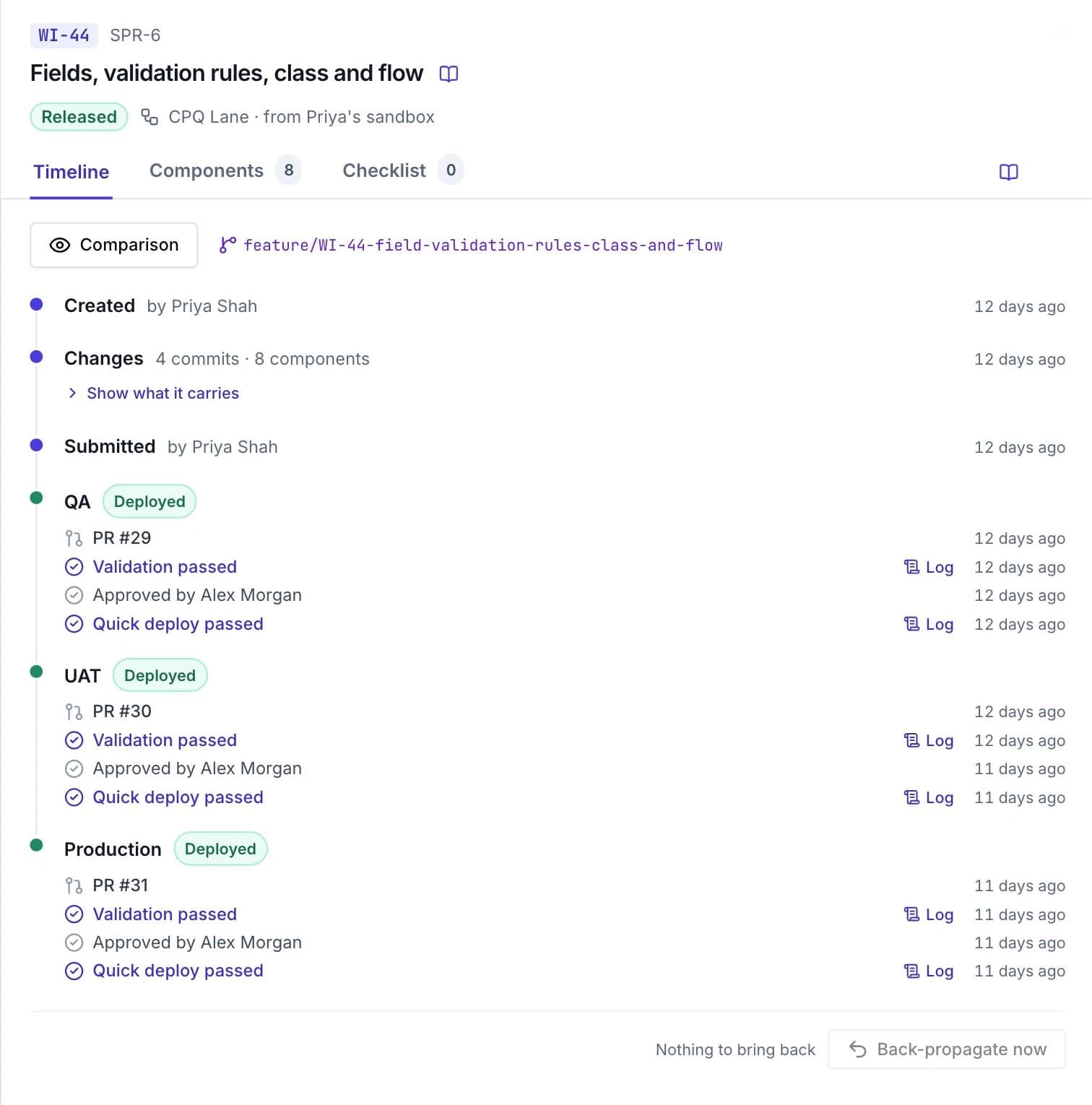
Work items
Developers raise a work item, commit their sandbox changes to its feature branch and submit it. Everyone can see where it is, what is in it, and what is waiting.
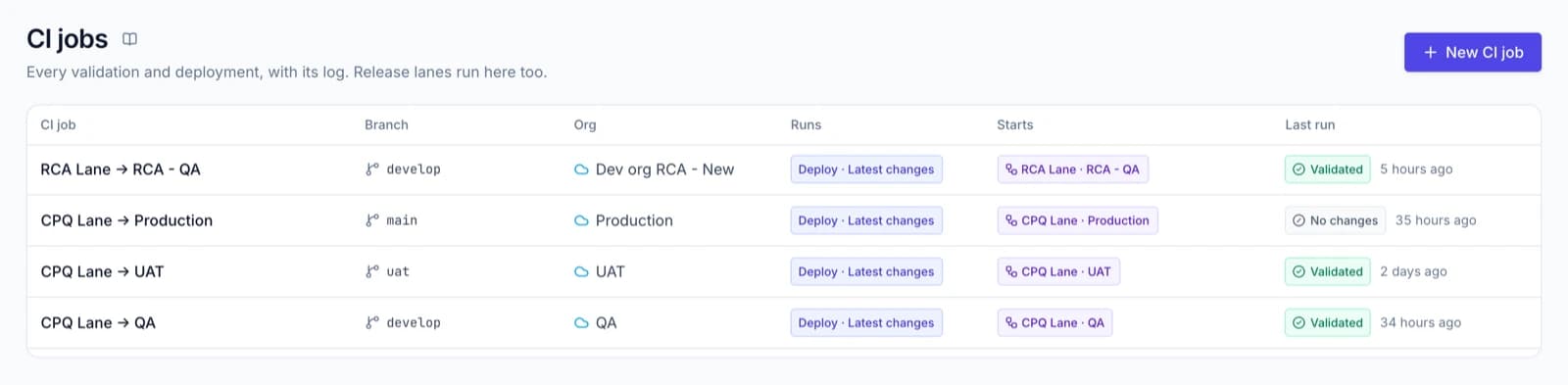
CI jobs
A CI job watches a branch and validates or deploys it to an org whenever someone pushes. Take the latest changes, the whole branch, or compare and deploy the differences.
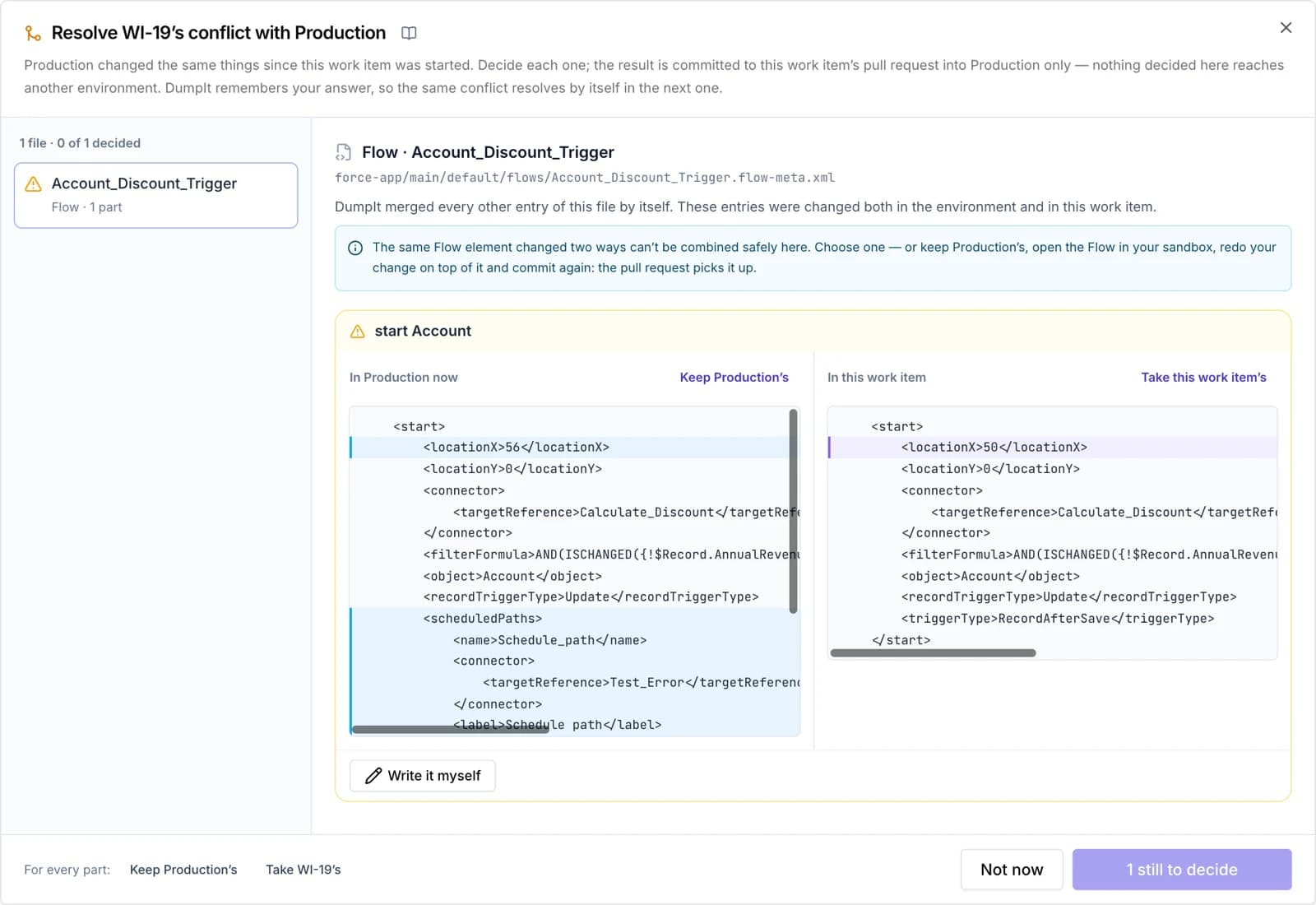
Conflict resolution
When two work items touch the same file, DumpIt shows both sides and lets a release manager choose, without a local clone.
Compare & deploy
See every difference, ship only what you chose, undo it if you must.
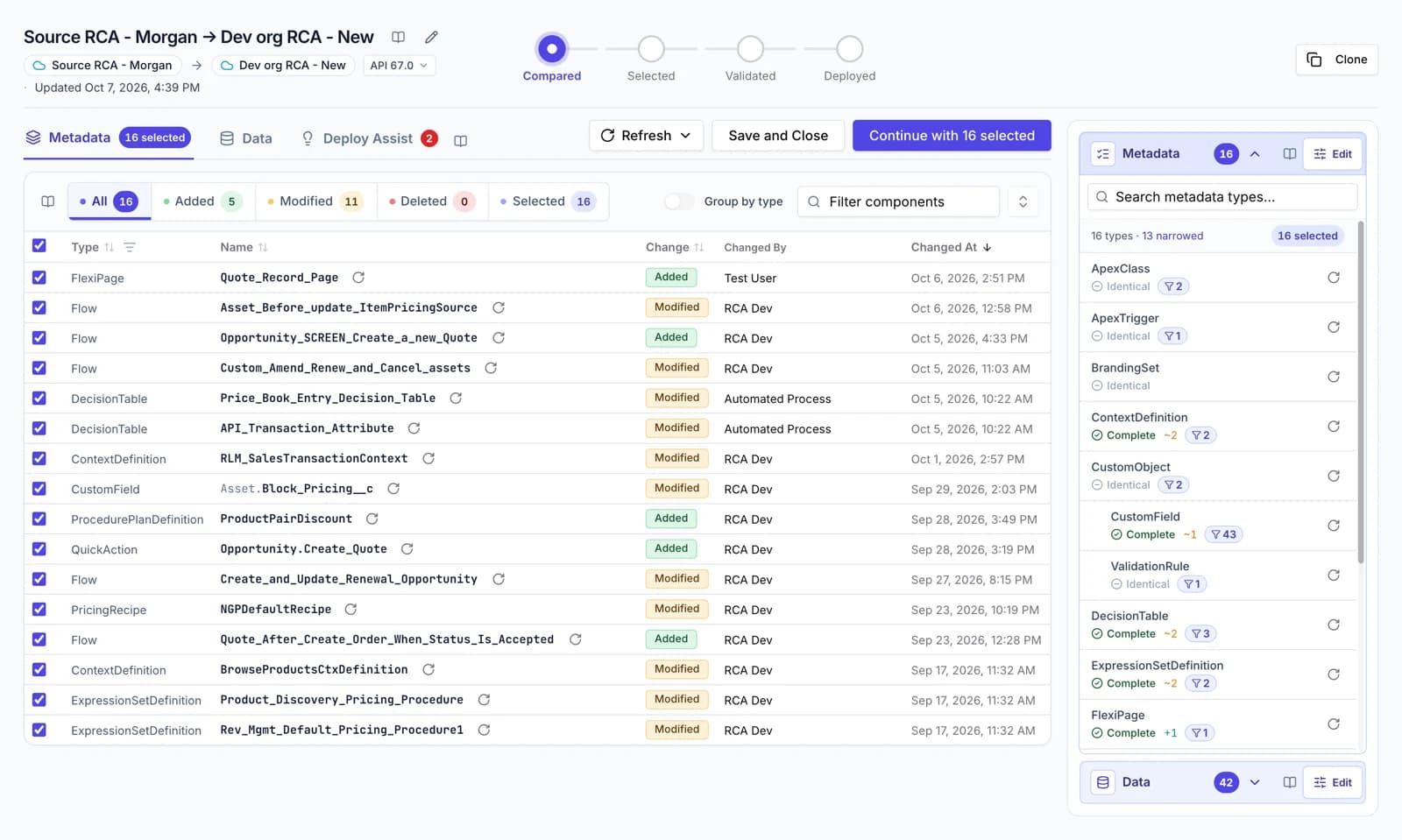
Compare anything with anything
Pick a source and a target and DumpIt lists every component that was added, modified or deleted, with who changed it and when. Nothing in either place changes while you compare.
- Production, sandbox, scratch and Developer Edition orgs
- Side-by-side diff of each file, changes only or the whole file
- Find inside a diff, group by type, filter by change
- Refresh one type or one component without starting again
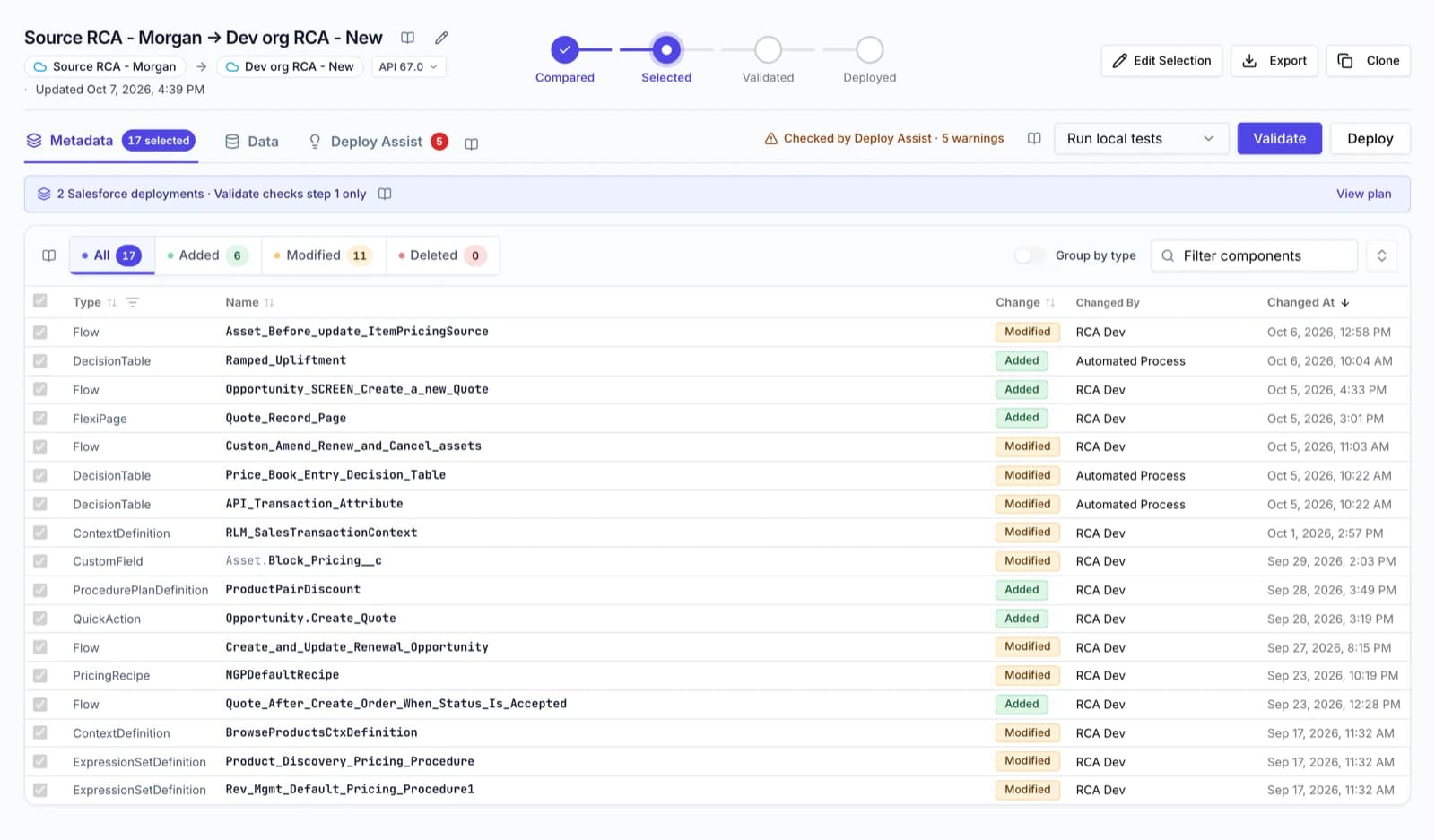
Deploy exactly what you ticked
Tick a handful of components out of thousands and only those are sent. DumpIt checks the finished package against your selection before anything reaches Salesforce, and stops if it finds a single extra.
- Selective Profile and Permission Set entries, not the whole file
- Individual picklist values, layout sections and FlexiPage regions
- Deletions are listed and must be confirmed
- The same check runs on Git commits and downloads
Deploy Assist
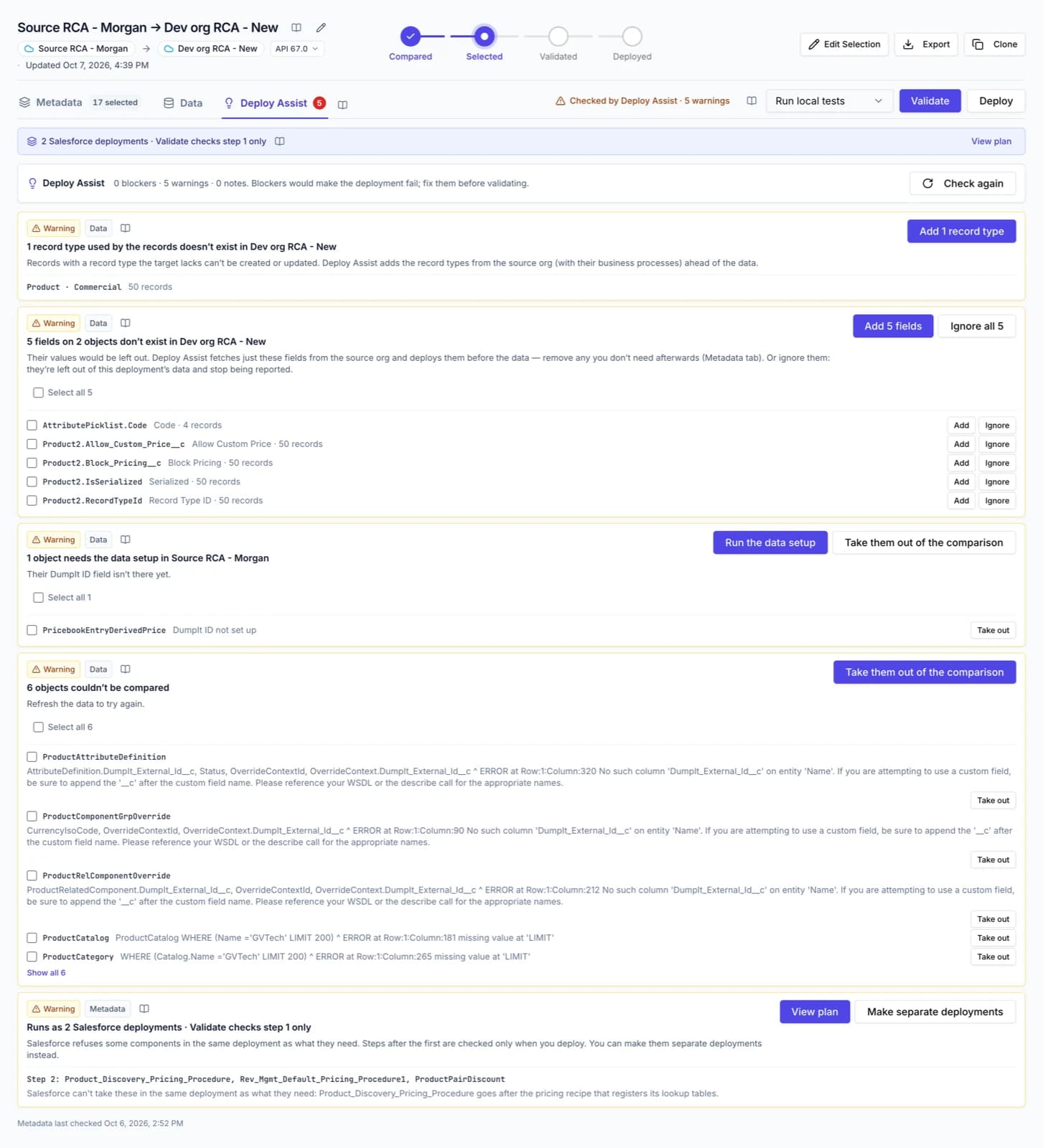
Before you validate, Deploy Assist works out what each selected component needs — its object, a value set, a field, a record type — and lists what neither the deployment nor the target has. Press Add and it comes along.
- Missing references, fields and record types
- Data the target can't accept yet, with the setup to fix it
- Splits work into ordered steps when Salesforce needs them apart
- Never blocks — validation in the target stays the final check
Rollback
DumpIt keeps a copy of everything a deployment is about to change. If the release goes wrong, preview what will be put back and roll the deployment back from its own page.
- Preview of what is restored and what is removed
- Checks nothing else depends on what it removes
- Data-only and metadata rollbacks
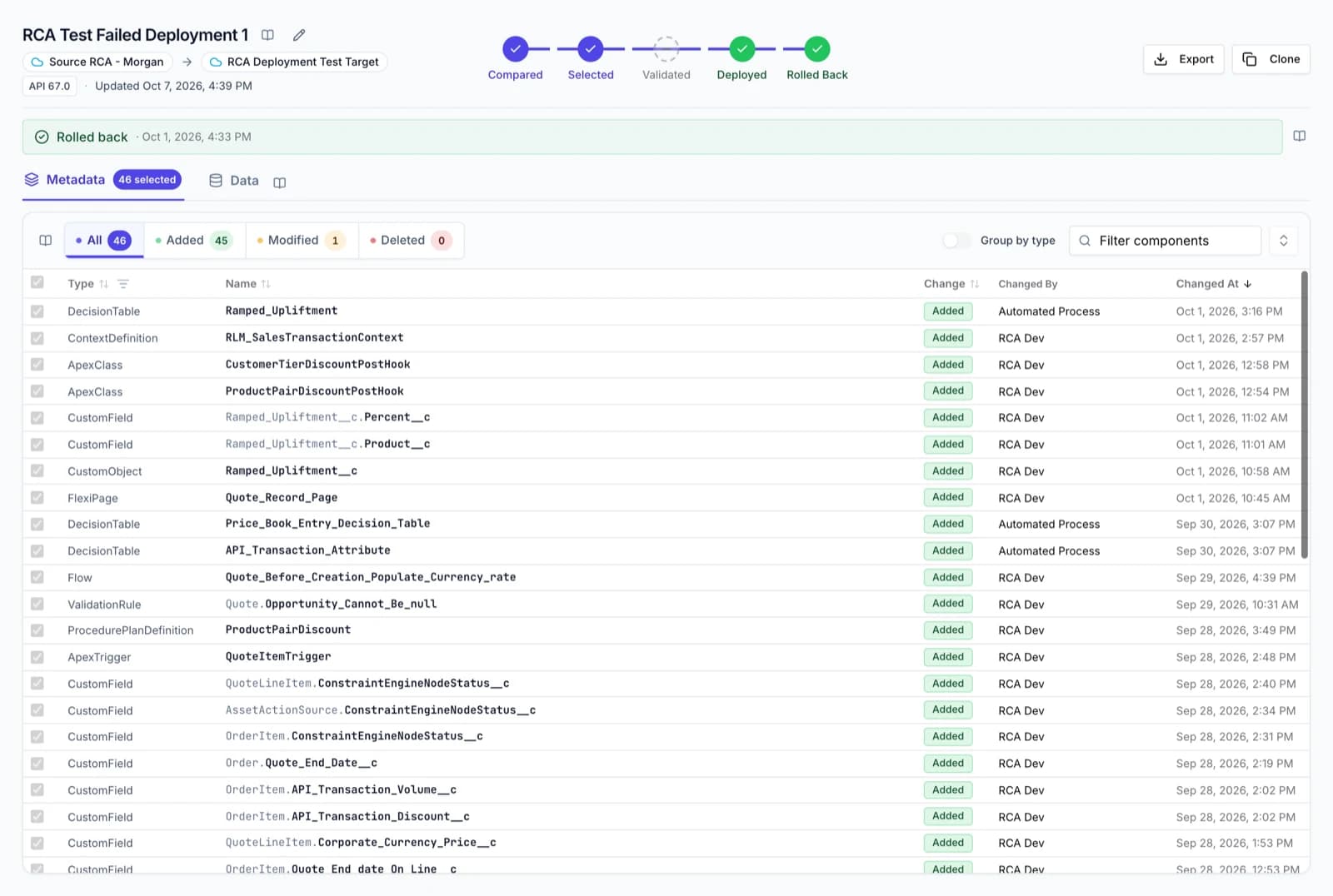
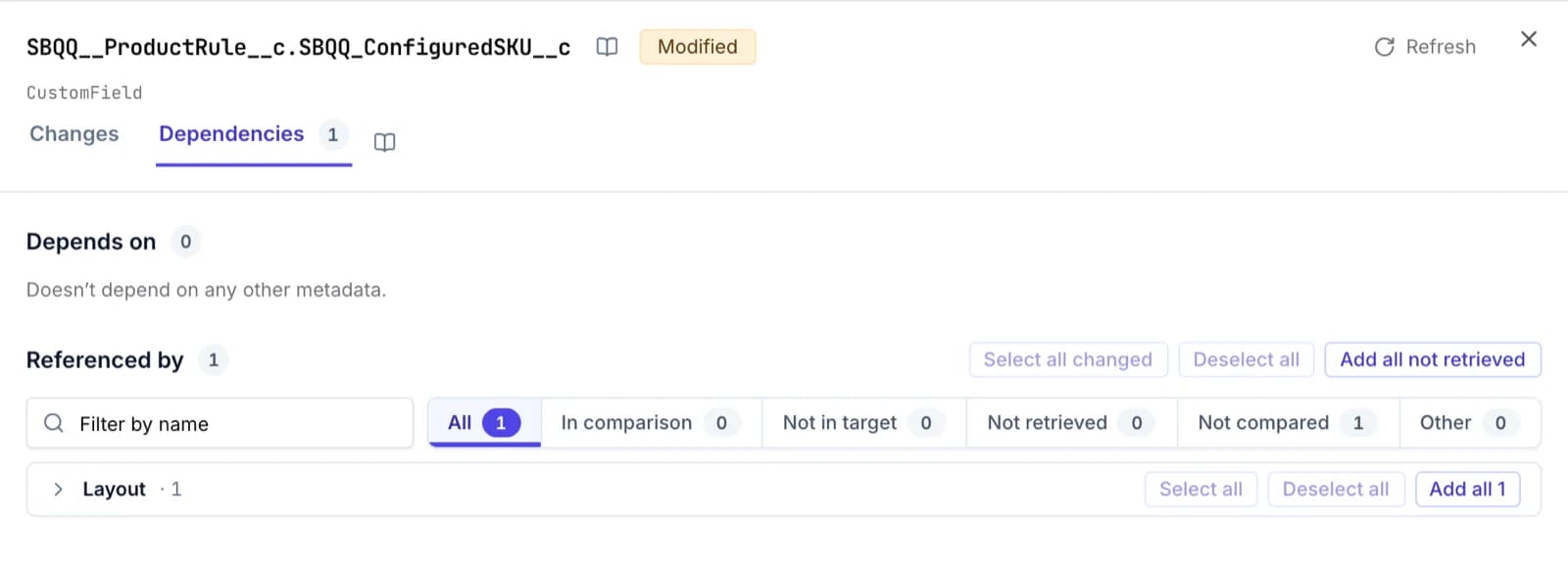
Dependencies at a glance
Open any component to see what it references and what references it. A Profile or Permission Set lists everything it grants, whether the comparison holds it or not.
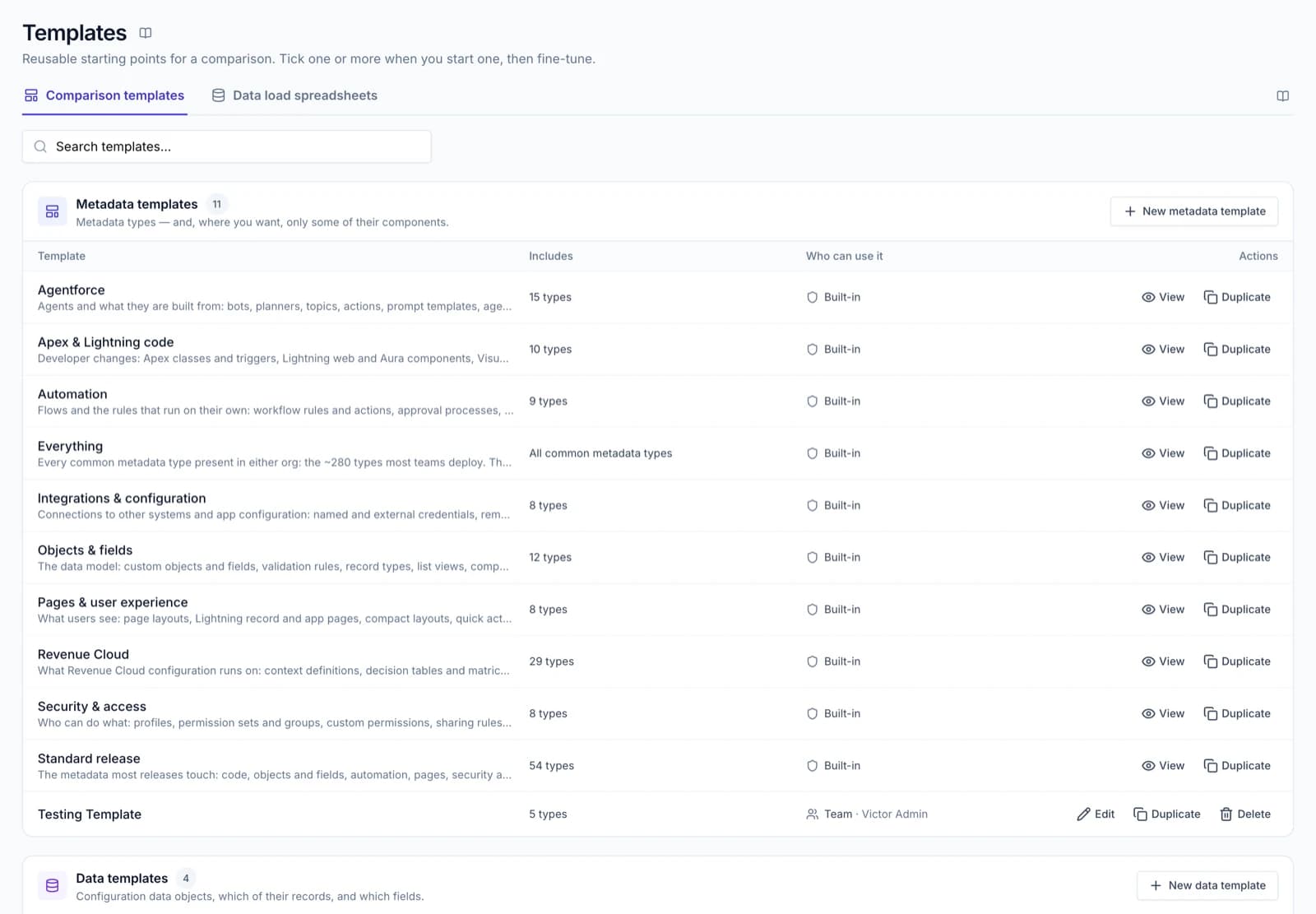
Templates and favourites
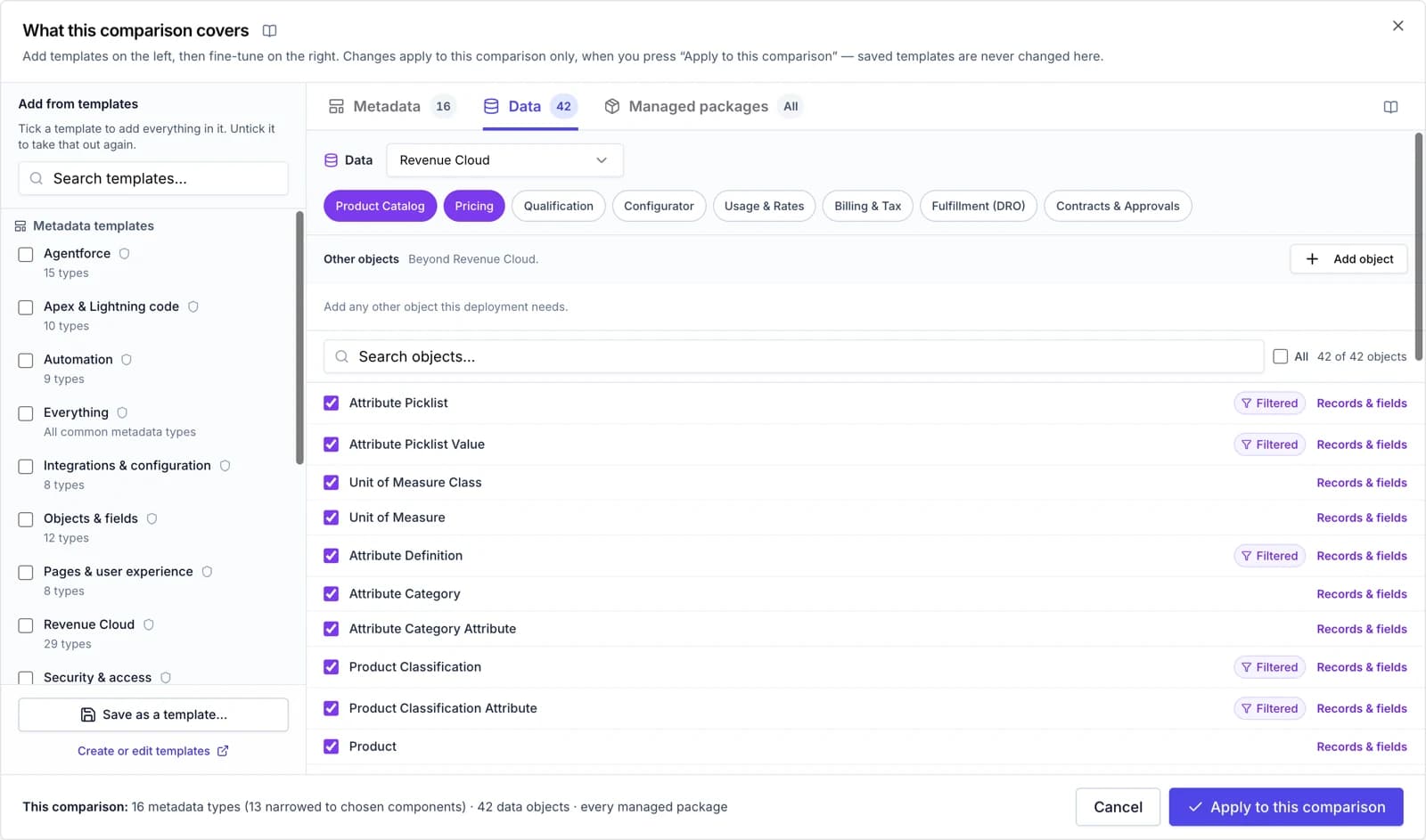
Built-in templates for Agentforce, Apex & Lightning, automation, Revenue Cloud and more. Save your own, share them with the team, and favourite the org pairs you use every week.
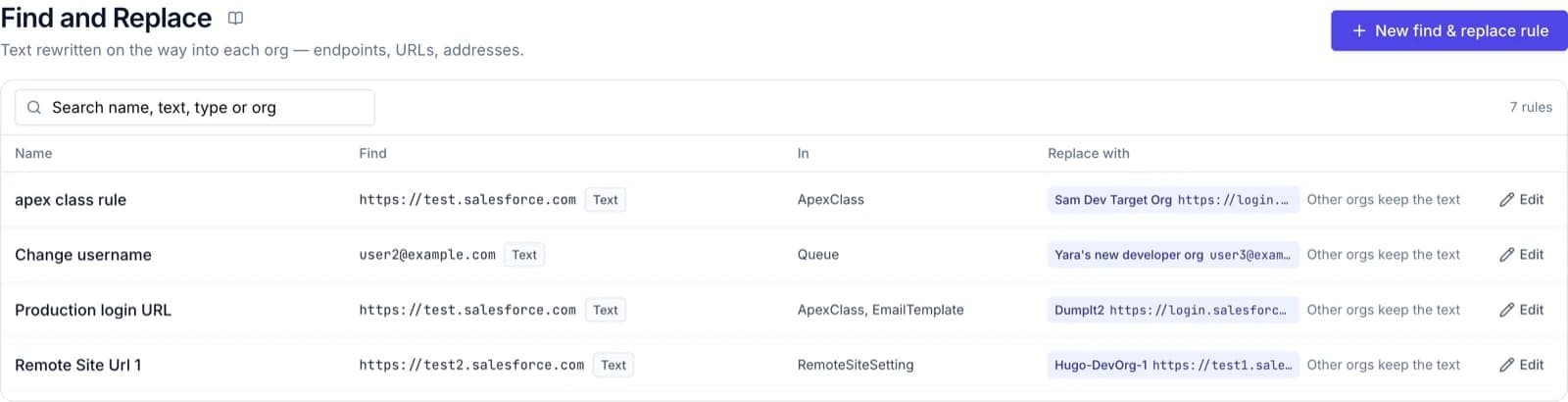
Find and Replace
Write a rule once and each org gets its own value at deploy time. Components that differ only by a rule's value are not reported as changes.
Validate, then Quick Deploy
EssentialsValidate against the target with no tests, specified tests, local tests or all tests. A passing validation can be Quick Deployed later without running the tests again.
- Pick test classes from the target org
- Every error grouped by component, with Salesforce's own message
- Retry, redeploy, or send the same selection to another org
Changed since deployed
EssentialsIf someone changed a component in the org after DumpIt deployed it, the row says so before you overwrite their work — down to which permissions changed.
Managed packages filtered out
EssentialsComponents from installed managed packages are left out by default. Your own fields, rules and record types on a package's objects are still compared.
Packages in and out
EssentialsUpload a package .zip as a comparison source, or download exactly what you selected as a deployable package.
Configuration data
CPQ, Revenue Cloud, OmniStudio and your own objects, deployed with the metadata.
Configuration data deployments
Compare configuration records between orgs, or an org and a branch, and deploy the ones you choose after the metadata. Records are matched, never duplicated, and never deleted in the target.
- Matched by a stable DumpIt ID, or a key you choose
- Parents written first; required parents ticked for you
- Leave fields out, filter records per object
- Commit records to Git as files, beside the metadata
CPQ health check
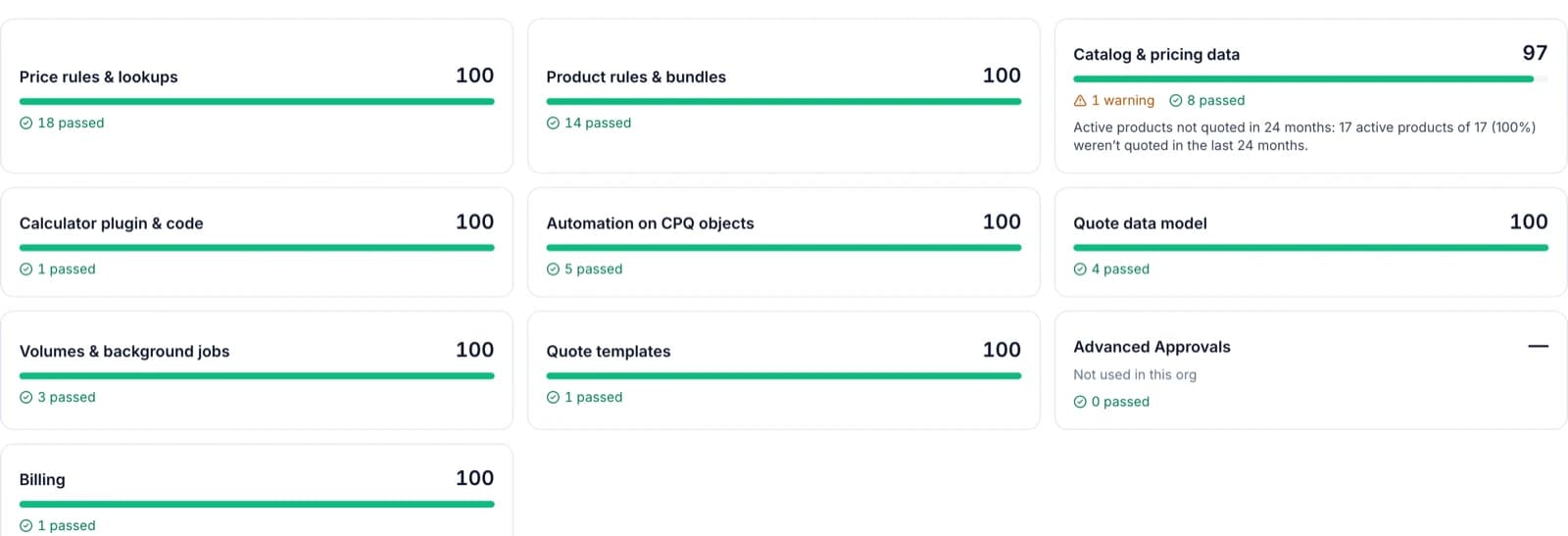
A read-only check of a CPQ org against Salesforce's guidance: findings by area, an inventory, and migration complexity across Salesforce's six dimensions.
Salesforce CPQ
Add-onReady-made CPQ groups — core catalogue, pricing, rules and more — so a CPQ release is a comparison, not a spreadsheet of record IDs.
Revenue Cloud
Add-onRevenue Cloud groups from Product Catalog to Contracts & Approvals, with Revenue Cloud's own checks in Deploy Assist and its pricing procedures ordered for you.
Vlocity / OmniStudio
Add-onVlocity and OmniStudio configuration records compared and deployed with the same Data tab.
Govern & measure
Backups, analytics, teams and a record of every release.
Release analytics
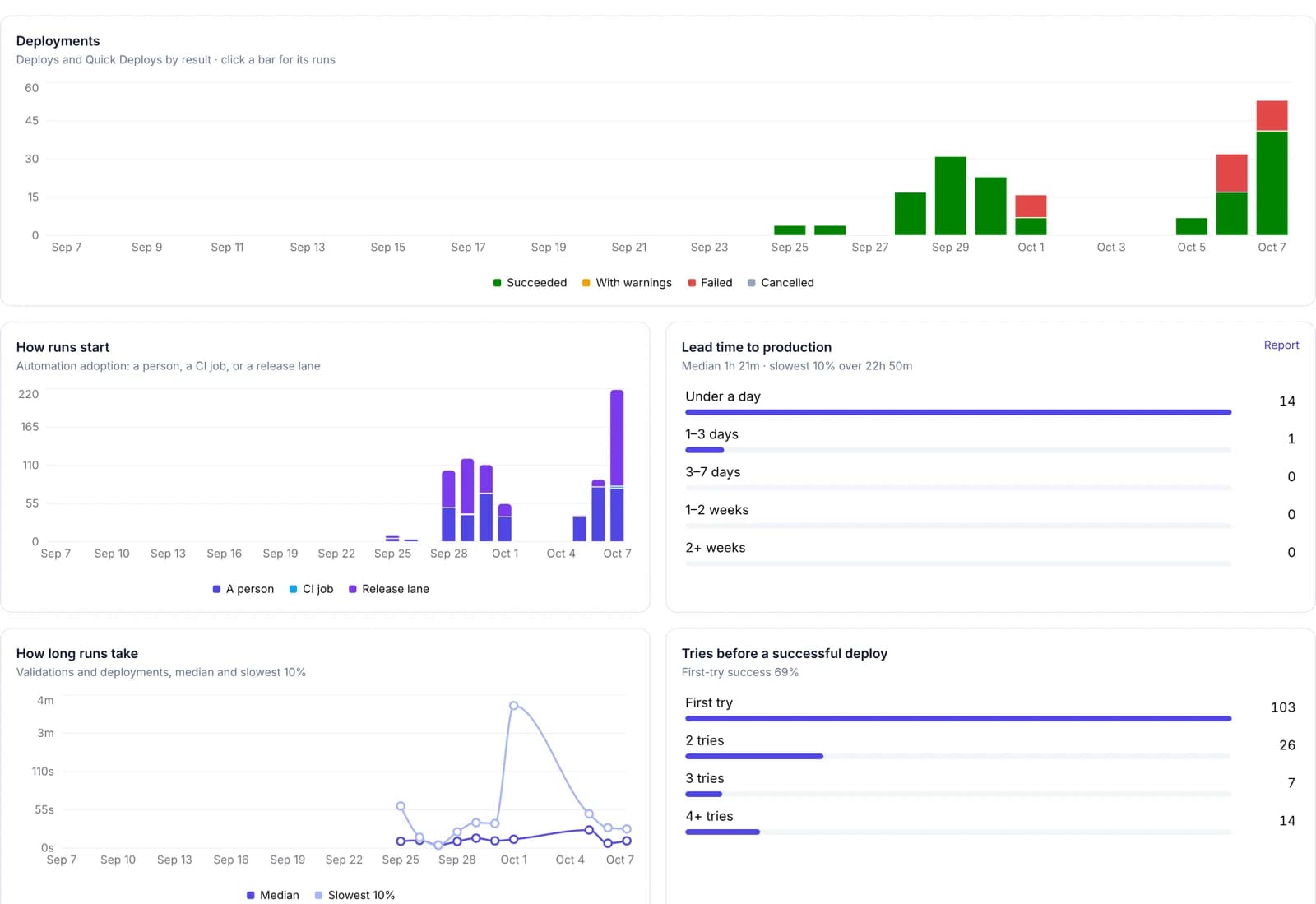
Built from every validation, deployment and rollback DumpIt runs. See how often you ship, why runs fail, which tests fail most and where work waits — plus nine reports with CSV export.
Metadata backups
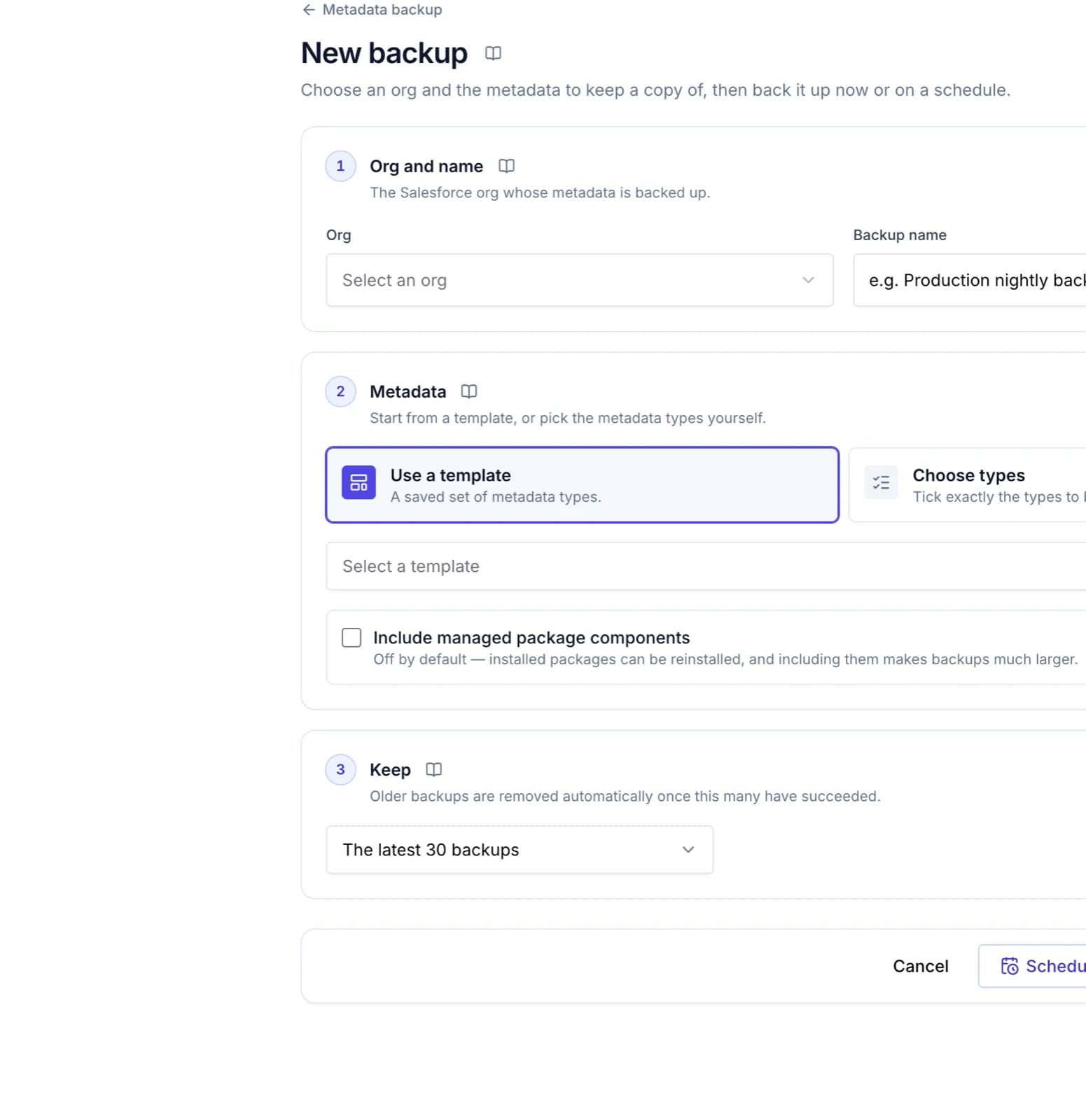
Choose the org and the metadata, then back up now or on a schedule in your timezone. Every copy is a complete .zip you can download.
Teams, roles and private connections
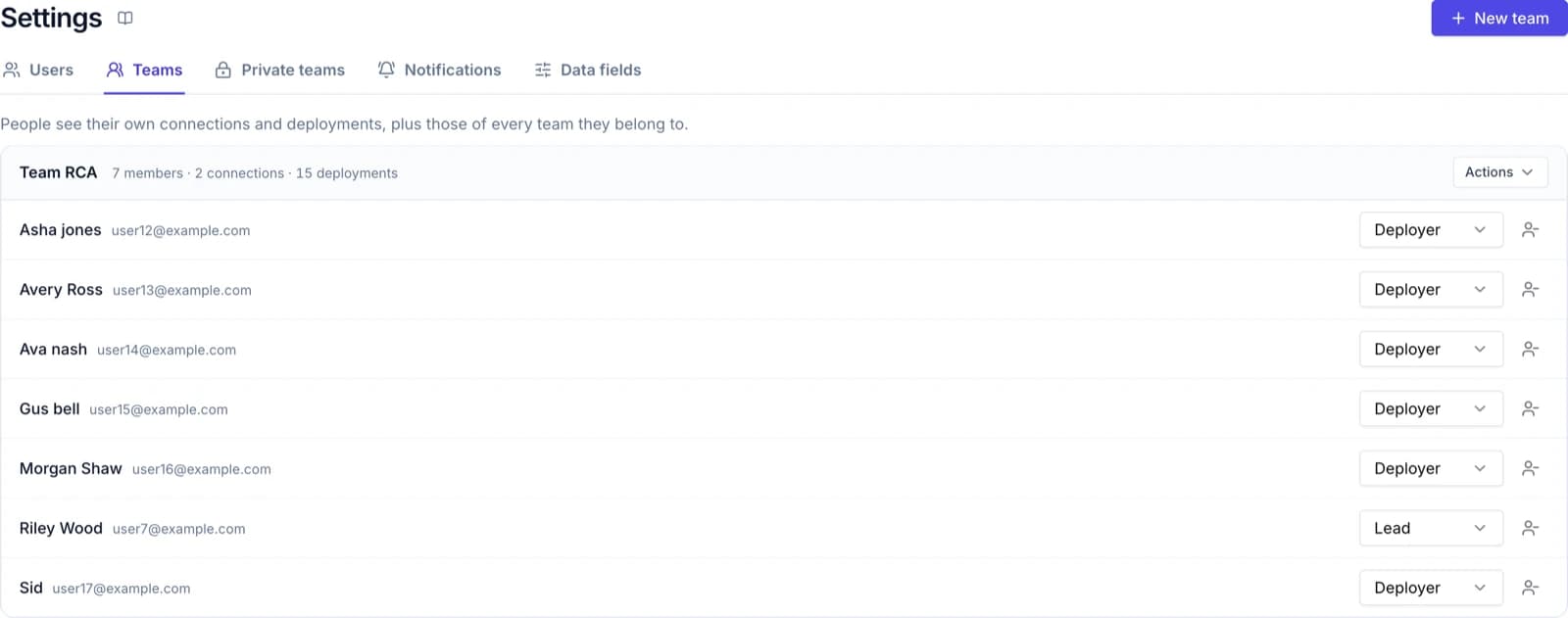
People see their own work and their teams'. Inside a team someone is a Lead, a Deployer or a read-only Viewer. A connection can be private to its owner and the people it is shared with.
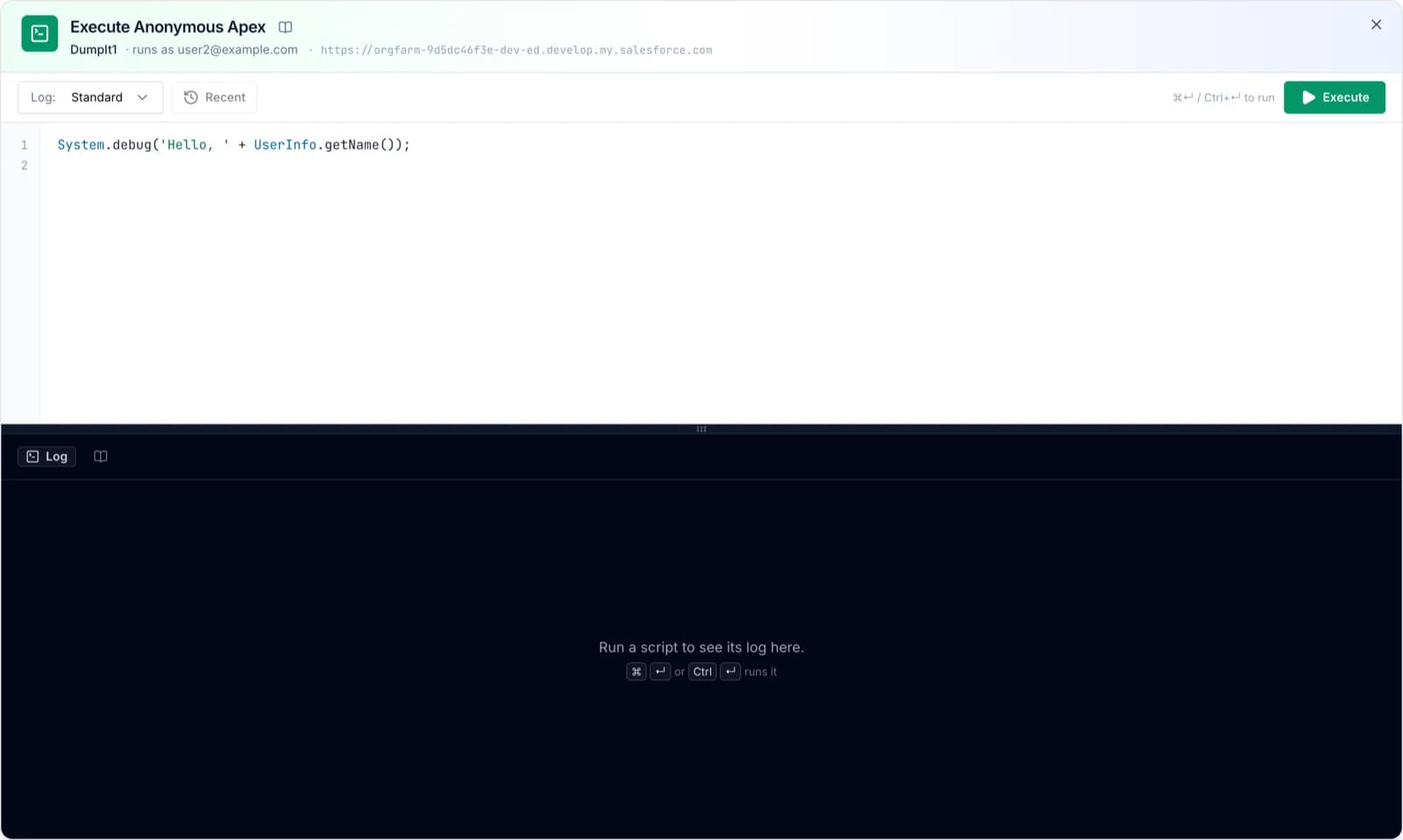
Execute Apex and Run Query
Run anonymous Apex and read the debug log, or query an org with completion and export to CSV. Each tool can be switched off per org, and is off for production until an Admin turns it on.
A record of every release
EssentialsWho compared what, who deployed it, what Salesforce said, and what was rolled back — kept for the whole team and attributable to a person.
Private teams for clients
ProfessionalConsultancies give each client a private team: its own orgs, repositories and deployments, invisible to everyone else.
Notifications
ProfessionalEmail the person who ran it, and post results to the Slack or Microsoft Teams channel your team already watches.
Guides on every screen
EssentialsEvery screen has its own guide one click away, every message is explained, and a support case can be raised from anywhere — even after a trial ends.
See your next release in DumpIt.
Start a free trial and connect two orgs in a few minutes, or let us walk you through it on your own metadata.