
Built for the people who ship Salesforce
Whether you own the release, build the change or deliver for a client, DumpIt turns the same comparison into a process you can trust.
Release managers
Run every release the same way, and answer "what changed?" in seconds.
The problem. Releases depend on whoever builds the change set that week. When something breaks, nobody can say exactly what went out.
- Approve each change into each environment from one board
- A full record of every deployment, by person and by org
- Lead time and failure rate without a spreadsheet
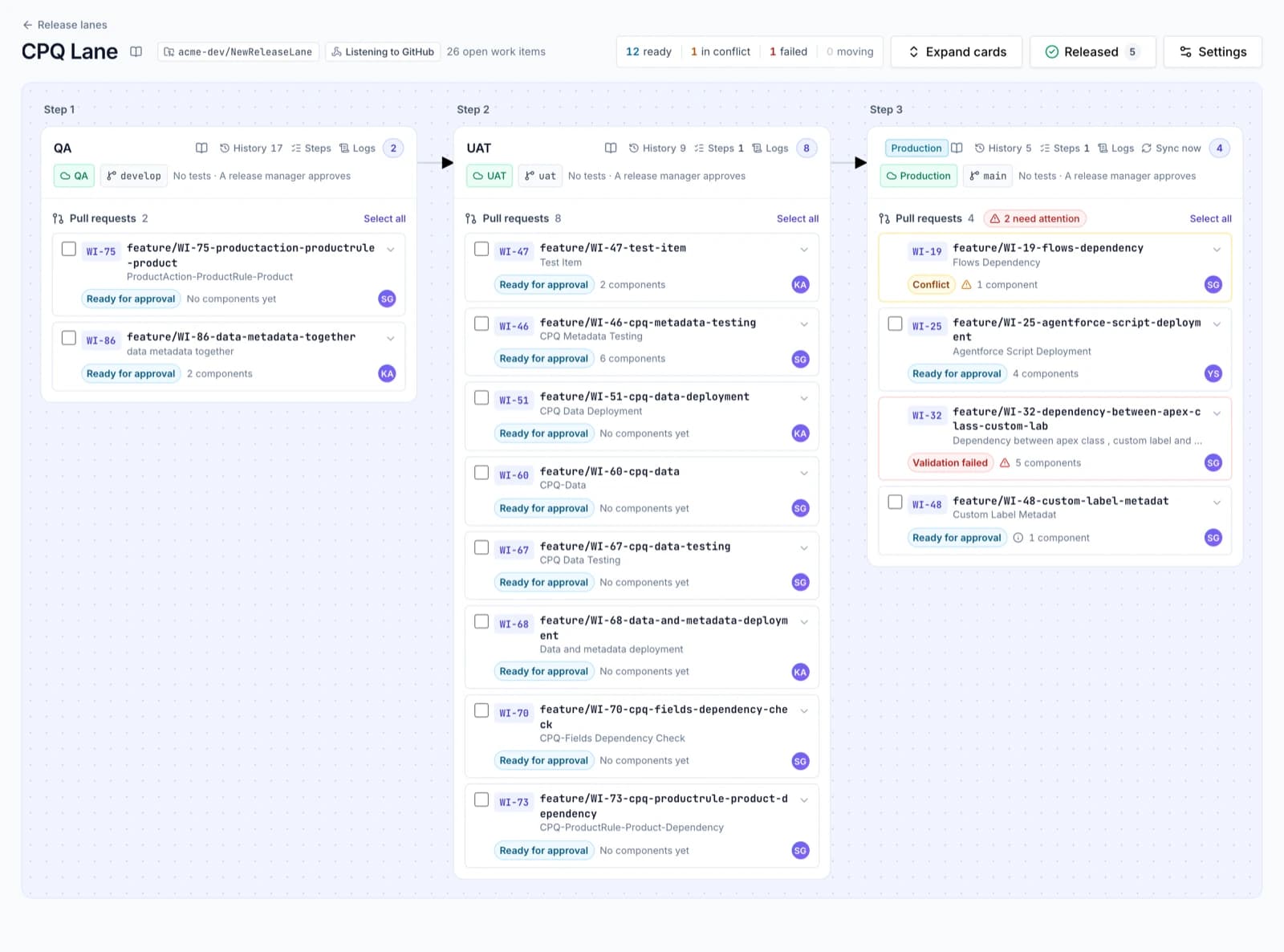
- Release lanesProfessionalQA → UAT → Production through pull requests, with approvals.
- Release analyticsProfessionalLead time, first-try success, change failure rate, time to restore.
- A record of every releaseEssentialsEvery comparison, validation and deployment, searchable.
- RollbackEssentialsUndo a deployment: DumpIt saved the target's state before it.
Admins & developers
Stop hand-building change sets. Compare, tick, deploy.
The problem. Change sets miss dependencies, can't delete, and fail at the last step. Every sandbox refresh starts the hunt again.
- Every difference listed, with a diff for each one
- Missing dependencies found and added before you validate
- Sandboxes kept in step with production
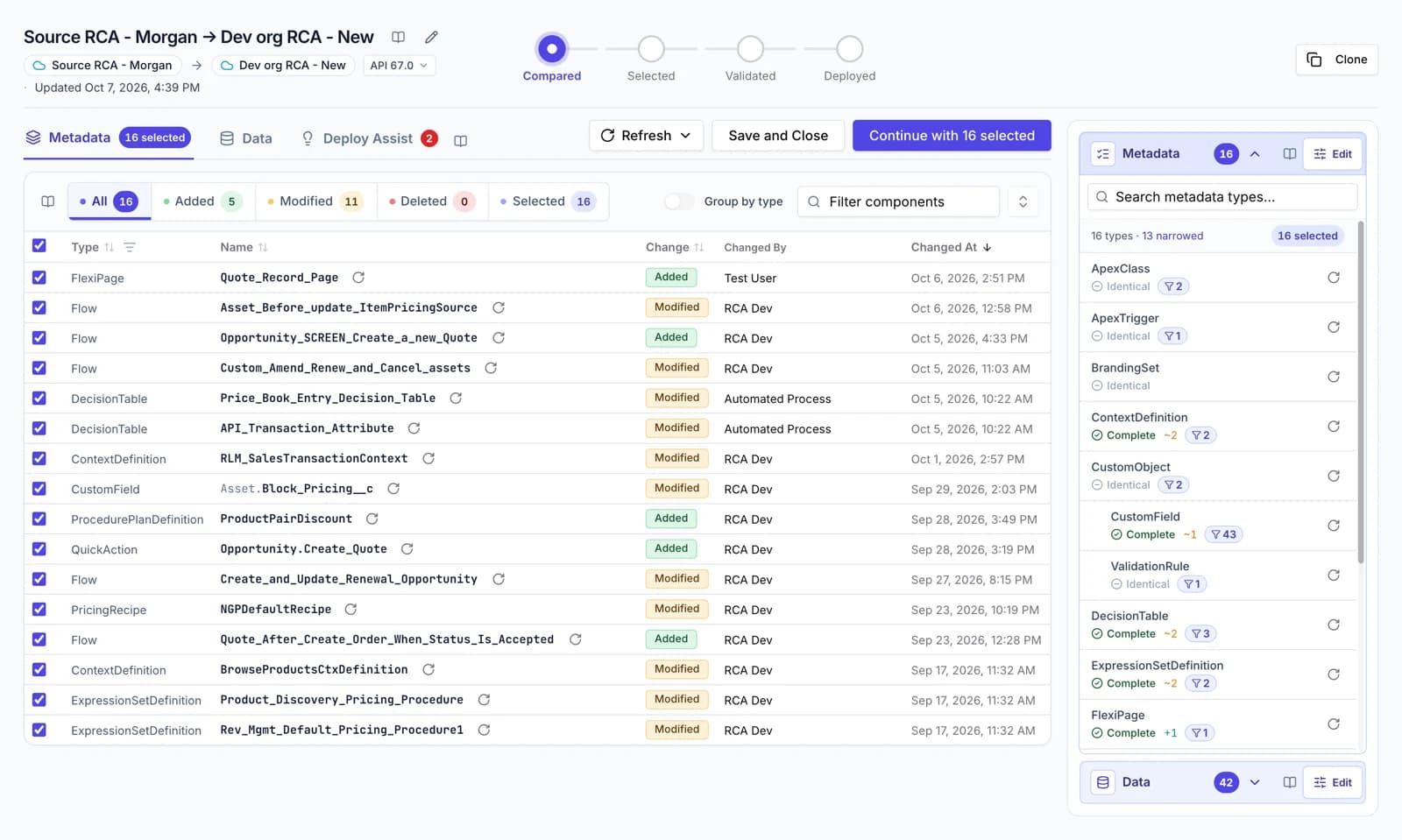
- Compare anything with anythingEssentialsOrg to org, org to branch, branch to org, or an uploaded package.
- Deploy AssistEssentialsFinds what would make a deployment fail, with a one-click fix.
- Deploy exactly what you tickedEssentialsEvery package is checked against your selection before it leaves.
- Execute Apex and Run QueryEssentialsAnonymous Apex with its debug log, and SOQL with export.
Consultancies & SIs
One tool for every client, each walled off from the others.
The problem. Each client has its own orgs, its own process and its own auditor. Mixing them up is not an option.
- A private team per client, with its own orgs and history
- Shared templates for the metadata you always move
- An audit trail per project, ready for the client
- Private teams for clientsProfessionalA walled-off space per client, with its own orgs and history.
- Templates and favouritesEssentialsSave the metadata and data you always compare; start in two clicks.
- Teams, roles and private connectionsEssentialsAdmins and members, team roles, and connections only some can use.
- A record of every releaseEssentialsEvery comparison, validation and deployment, searchable.
CPQ & Revenue Cloud teams
Move pricing and product configuration like metadata.
The problem. CPQ and Revenue Cloud live in records. Moving them means exports, VLOOKUPs and duplicate products in production.
- Records matched, never duplicated, never deleted
- Metadata and data in one deployment
- A health check before you migrate to Revenue Cloud
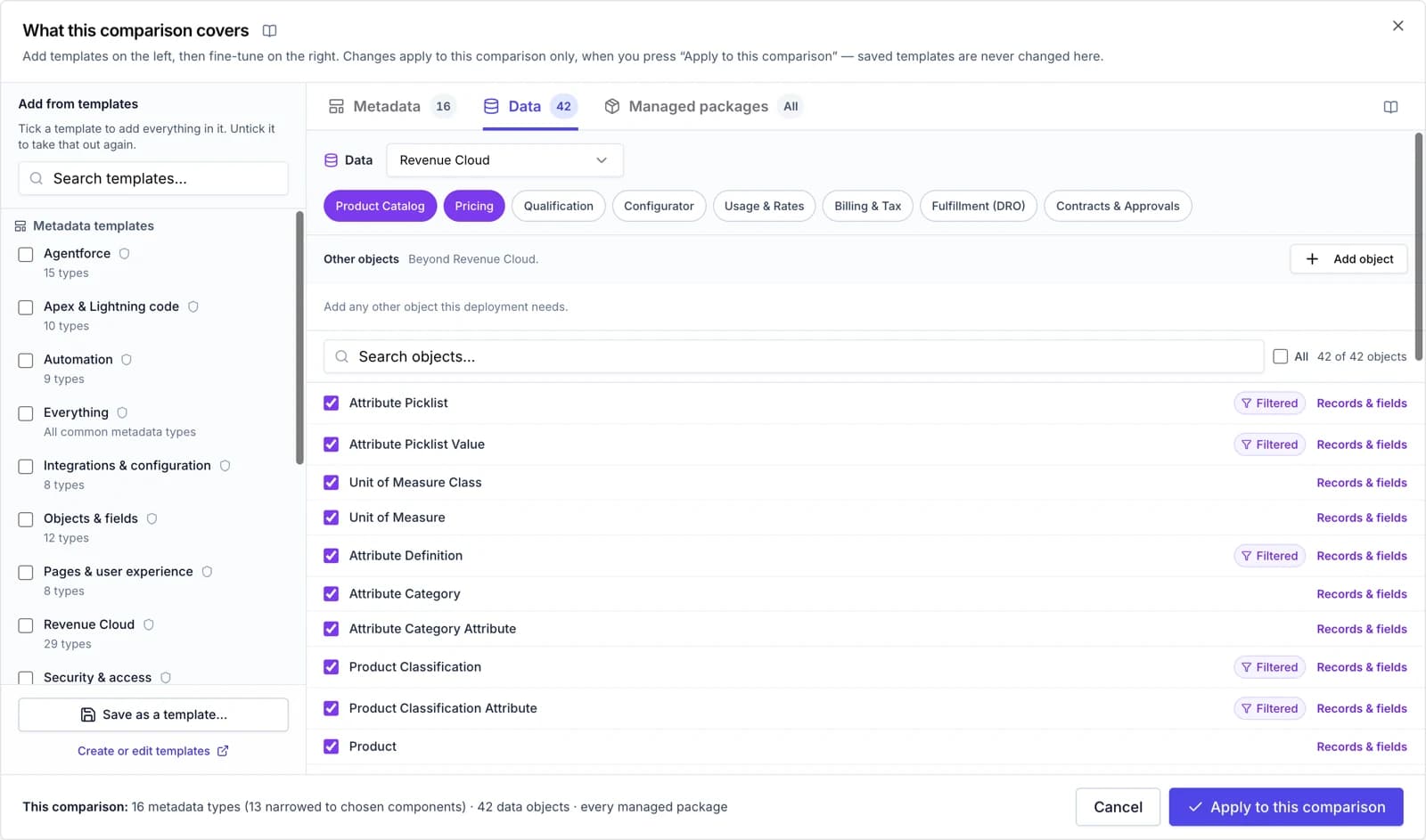
- Configuration data deploymentsAdd-onRecords compared and deployed with the metadata, parents first.
- Salesforce CPQAdd-onProducts, bundles, price and product rules, moved intact.
- Revenue CloudAdd-onProduct catalogue, pricing, configurator, billing and more.
- CPQ health checkProfessionalScore a CPQ setup and its readiness for Revenue Cloud.
Moving to Git
Adopt source control without retraining the whole team.
The problem. Git promises history and review, but most Salesforce teams can't ask every admin to learn the command line.
- Admins commit from a comparison, no CLI needed
- Pull requests per environment, approved in DumpIt
- CI jobs that validate every push
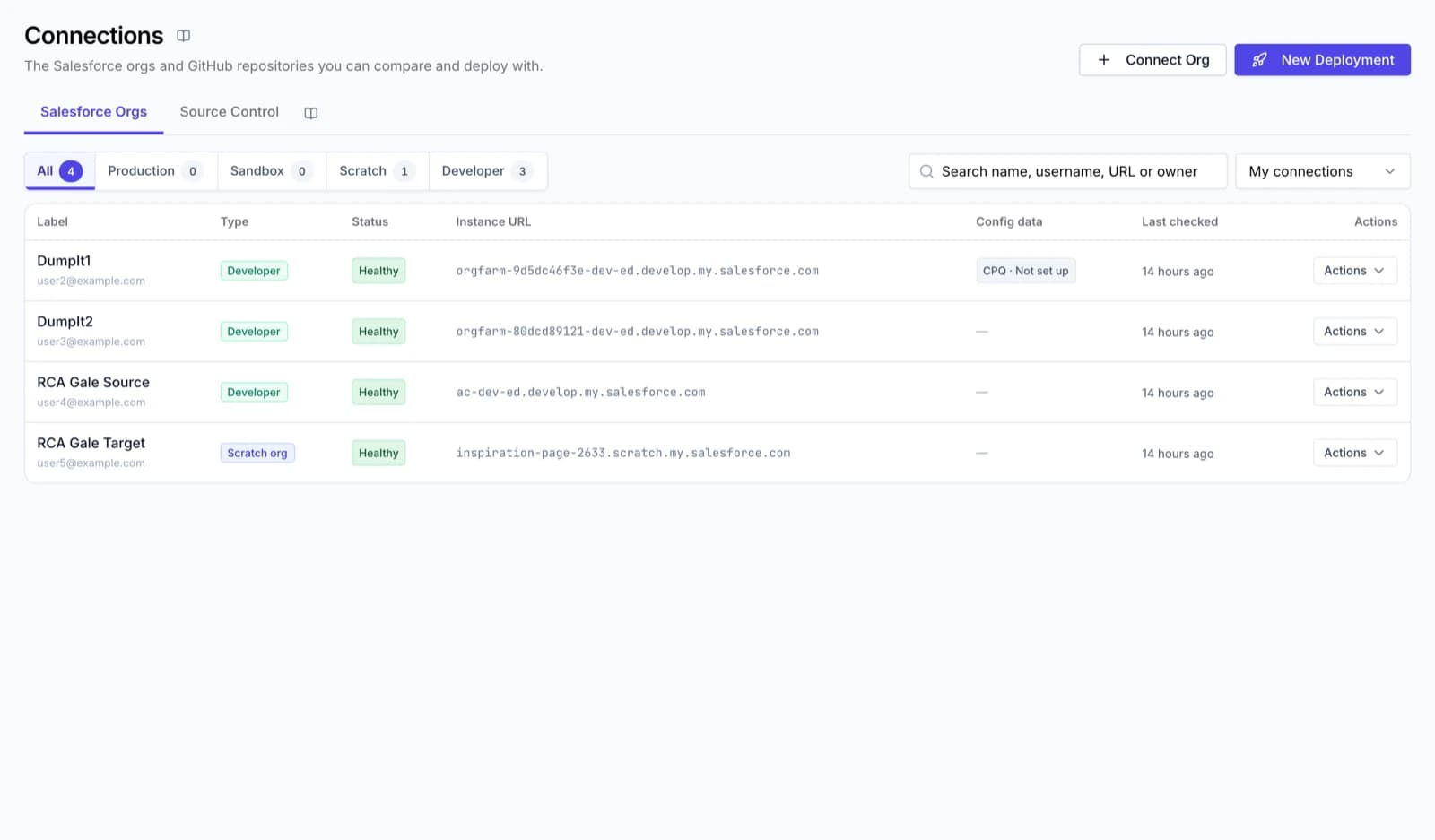
- Git as a source or a targetEssentialsCompare an org with a branch, commit a selection, create branches.
- Work itemsProfessionalOne change, one branch, from a developer sandbox to production.
- Release lanesProfessionalQA → UAT → Production through pull requests, with approvals.
- CI jobsProfessionalValidate or deploy a branch on every push, with a log of each run.
Replacing change sets
Everything change sets do, plus deletions, rollback and history.
The problem. Change sets can't delete, can't roll back, and only move between connected orgs. Every missed field is another upload.
- Deploy between any two orgs, including deletions
- Roll back a deployment that went wrong
- Validate once and Quick Deploy in the release window
- Compare anything with anythingEssentialsOrg to org, org to branch, branch to org, or an uploaded package.
- Validate, then Quick DeployEssentialsCheck-only runs with the test level you choose, then reuse them.
- RollbackEssentialsUndo a deployment: DumpIt saved the target's state before it.
- Deploy AssistEssentialsFinds what would make a deployment fail, with a one-click fix.
See your next release in DumpIt.
Start a free trial and connect two orgs in a few minutes, or let us walk you through it on your own metadata.